
Web Strategy: How to Plan a Website That Hits Business Goals
A web strategy is a plan for how your website supports your business: who it serves, what it must get them to do, what content and structure make that happen, and how you will know it is working. It is broader than a design brief and narrower than a full digital marketing plan. The strongest strategies end with a testing habit, because no plan survives real visitors untouched.
This guide walks through what a web strategy contains, how it differs from neighboring terms, a worked example, a step-by-step build process, and how to measure and improve it.
TL;DR
- A web strategy connects your site's content, structure and conversion paths to business objectives, with two or three primary goals at most.
- It differs from web design (visual presentation), content strategy (what you publish) and web development (technical build). It sits above all three.
- Build it in order: goals, audience, funnel, content inventory, structure, measurement, ownership.
- Treat it as a living plan. Review analytics and run controlled A/B tests so changes are backed by evidence, not opinion.
- Start small: one page, one hypothesis, one metric.
Table of Contents
- What a web strategy actually is
- An example of a website strategy
- How to build a web strategy, step by step
- Perspective: strategy is a hypothesis until you test it
- How to measure a web strategy and improve it
- Putting testing into practice with Stellar
- FAQ
- Sources
What a web strategy actually is
Definitions vary by author, but they share a core. One guide describes website strategy as a plan directing a business website's content, layout and funnel around business objectives. Another frames it as a long-term plan built around the website that informs design, content, marketing and branding, including goals, audience, a content inventory, keyword research and analytics. A third explains that a web strategy covers aims and objectives, target audience, geographic reach, marketing strategies and financial targets, and then guides design and development.

The practical takeaway: a web strategy answers "what is this site for?" before anyone opens a design tool. Design agencies draw the same line. Strategy determines the buyer journey, messaging, conversion points and sitemap, while design determines visual presentation and interface elements.
Web strategy vs. the terms people confuse it with
| Term | What it decides | Where it fits |
|---|---|---|
| Web strategy | Goals, audience, funnel, structure, measurement | The umbrella plan |
| Web design | Visual presentation, interface elements | Executes the strategy's structure |
| Content strategy | What you publish, for whom, who maintains it | One pillar of the strategy |
| Web development strategy | Technical scoping, systems, maintenance roadmap | The technical execution layer |
| Digital marketing strategy | Channels such as search, social, email and paid ads | Wider in scope than the site itself |
On the last row, one practitioner's comparison puts it this way: web strategy focuses on the website's design, content, functionality and user experience, while digital marketing spans many channels. On web development, a technical scoping guide says the result should be a systems blueprint for the immediate build plus a broader roadmap for expansion and maintenance. That is why development is a layer inside the strategy, not a synonym for it.
A broader view is also worth holding. Some teams treat a website as a living software product with its own roadmap and a continuing team rather than a project that ends at launch. That mindset is what makes testing natural.
An example of a website strategy
Abstract definitions only go so far, so here is a concrete one. GoDaddy's walkthrough uses a lawn-and-garden business. The homepage routes visitors to residential or commercial service pages. Each service page explains the offer and carries a scheduling button. An advice article for homeowners ends with a call to schedule residential service.
Notice what makes this a strategy rather than a sitemap: every page has a job, a visitor type, and a next step. The same guide maps goals to tactics: SEO goals lead to a content program, trust and education to sales pages and thought-leadership posts, lead generation to gated assets, and sales to an online store.
Now translate it to a SaaS or ecommerce site:
- Primary goal: free trial signups (SaaS) or completed checkouts (store).
- Audience groups: evaluators comparing options, existing customers looking for help, and first-time visitors from search.
- Funnel: blog or category page, then product or pricing page, then signup or cart.
- Proof: testimonials, case studies and clear pricing placed where doubt appears.
- Measurement: signup rate by landing page, checkout completion, and engagement on key content.
How to build a web strategy, step by step
1. Set two or three primary goals
GoDaddy recommends limiting a site to two or three primary goals, with at least one tied to a commercial action such as joining an email list, contacting the business, buying or scheduling. Make them specific. Notion's guide suggests SMART goals and offers examples like increasing online sales by 20% in one year or adding 1,000 email subscribers in six months.
A useful sanity check: if a page does not serve one of your goals, either it needs a goal or it needs to go.
2. Understand your audience through tasks, not demographics
Berkeley's web team recommends identifying audience groups, their primary goals, personas, technical familiarity, visit frequency, pain points and the tasks they must complete quickly. It also suggests interviewing three to five representative users per audience category about why they visit, how they search for information, what frustrates them and which features matter most.
Five short interviews will tell you more than a month of guessing. For ecommerce owners, this is often as simple as calling recent buyers and asking what almost stopped them.
3. Start from the site's job, not the sitemap
Scope Design argues that strategy should begin with the site's primary business job and the visitor's arrival intent rather than with a sitemap or visual design. It also recommends matching conversion actions to readiness: a high-intent visitor may be ready to book, while a cautious one may first need pricing context, comparisons or examples.
This is the single most useful idea for conversion work. One call to action for everyone wastes the people who are not ready and annoys the ones who are.
4. Audit and plan your content
Michigan State University's web strategy guidance recommends a content inventory and audit covering accuracy, currency, brand alignment, accessibility, necessity, audience value, updates, deletions and missing content. Its list of strategy components also includes prioritized audiences, content-creation responsibilities and workflow, accessible navigation, user flows to goal completion, SEO and measurement plans, and clear maintenance ownership.
Common content categories include brand messaging, thought leadership, product and service pages, case studies, testimonials and proof points, each mapped to user intent and a business objective. If you are planning pages meant to capture leads, our guide to designing effective landing pages covers the layout decisions in detail, and for the page types that build trust and generate leads, a walkthrough of how to create a landing page that converts pairs well with it.

5. Map the on-site funnel
GoDaddy's conversion perspective is that every page should guide visitors toward a next step, and the funnel must be tied to a business goal. Sketch the path from entry page to conversion, and label each step with the question the visitor has at that moment. If you want a deeper treatment, see our pieces on user journey optimization and marketing funnel optimization.
Flow Ninja adds practical guidance: clear, context-relevant calls to action and conversion-focused landing pages with a strong headline and a simple form, plus ongoing maintenance of content, SEO, performance and security.
6. Design the structure around real tasks
Berkeley's user-centered view is that the best structure starts with real audience tasks and observed difficulty, not internal organizational categories. Name navigation items after what visitors are trying to do, not after your org chart. Our overview of user experience design for marketers goes deeper on this, and so does the complete guide to user experience optimization.
Search visibility belongs in this step too, not after launch. A practical piece on integrating SEO into web design shows how acquisition, content and conversion work together beyond a redesign. Netguru makes the same point from the other side: a website strategy is broader than a redesign because it includes traffic acquisition, conversion optimization, engagement, content operations and technical foundations.
7. Hand off to development with a brief
The groundwork you did above becomes the developer's brief. Brand Auditors puts it simply: use the earlier findings to create customer-centric design and content, with user-friendly mobile functionality and performance. Performance matters here more than most plans admit. Heavy scripts, including testing and analytics tags, slow pages, and slow pages convert worse.
Perspective: strategy is a hypothesis until you test it
We see the same pattern with the marketers and ecommerce owners who use Stellar. They write a careful web strategy, launch it, and then treat every decision in it as settled. It is not settled. Each choice about a headline, a form length or a pricing layout is a hypothesis about what your visitors will do.
That is why we built Stellar around speed and simplicity. Our script is designed to be lightweight, at 5.4KB, so that running experiments does not become a tax on the very site speed your strategy depends on. Our no-code visual editor is designed so a marketer can change a headline or button and launch a test without waiting in a developer queue.
Our advice: pick one goal from your strategy, pick the page closest to it, and test one change this week. A web strategy that includes a standing testing habit gets sharper every month. One that does not gets older every month.
Juan
How to measure a web strategy and improve it
Measurement starts before launch. Berkeley's guidance suggests using analytics to identify top pages, entry and bounce points and internal-search terms, usability-testing core tasks, tracking completion and feedback, and refining layout and labels.
After launch, a peer-reviewed 2021 paper in Sustainability defines a web project strategy as a plan with specific objectives that needs permanent monitoring and adjustment as audiences, competitors, opportunities and technical conditions change. The practical translation is a review rhythm: a monthly look at goal completions and top entry pages, and a quarterly look at whether the goals themselves still fit the business.
A simple measurement stack
| Question | Signal | Typical action |
|---|---|---|
| Are visitors finding us? | Entry pages, search terms | Improve content and on-page SEO |
| Do they engage? | Scroll, time on page, clicks to next step | Rework content and layout |
| Do they convert? | Goal completion rate per page | A/B test headline, CTA, form |
| Does it work on phones? | Mobile completion vs. desktop | Test mobile layouts specifically |
For engagement, a roundup of website engagement strategies explains how UX and conversion optimization help visitors finish the actions that matter. For the testing side, see our guides to proven steps to improve conversions and testing mobile user experience.
Why A/B testing belongs in the strategy document
Analytics tells you where visitors drop off. It does not tell you why, or whether your fix will work. A controlled test splits traffic between the current page and a variation, then compares your goal metric. That turns a debate ("I think the button should be green") into a result.
A few rules keep tests honest:
- Test one meaningful change at a time, tied to a goal from your strategy.
- Write the hypothesis and the success metric before you launch.
- Let the test run long enough to collect a reasonable sample, rather than stopping at the first good-looking number.
- Log results, including the losers. They are part of your strategy's memory.
Low-traffic sites can still test. Start with the highest-traffic page tied to a goal, and make bigger changes (a new offer framing, a restructured page) rather than small tweaks.
Putting testing into practice with Stellar
If your strategy calls for experiments but you do not have developer time, Stellar is built for that situation. It is an A/B testing platform with a no-code visual editor, dynamic keyword insertion for personalized landing pages, advanced goal tracking and real-time analytics. It connects with WordPress, Shopify, Webflow, Wix, Squarespace, Framer and Bubble.
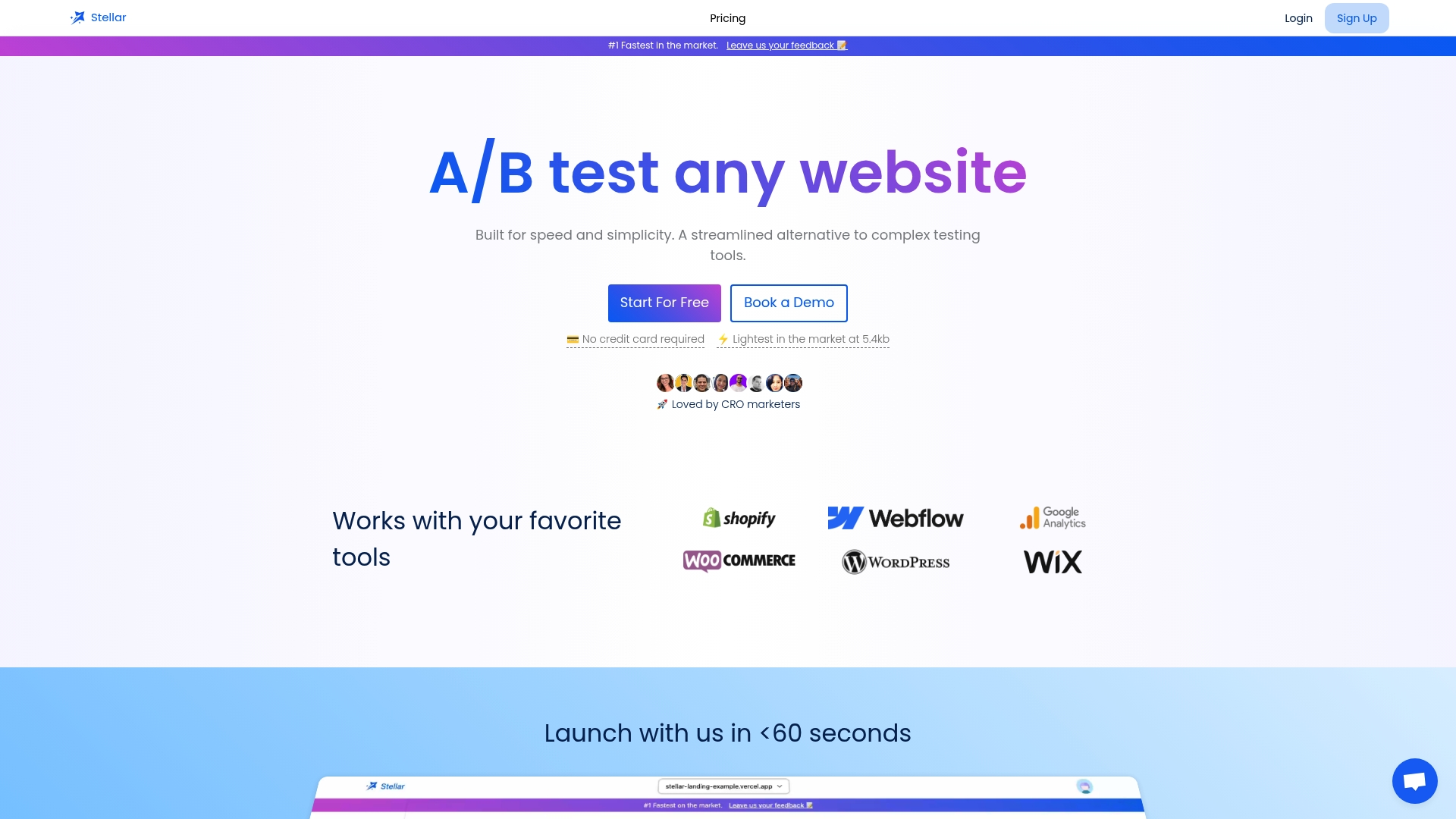
Pricing is tiered by monthly tracked users. The Sandbox plan is $0 per month, Plus is $29 per month, Pro is $99 per month and Scale is $399 per month. Enterprise pricing is not published. You can compare the tiers and start on the Stellar plans page.
FAQ
What is a web strategy?
A web strategy is a plan for how your website supports business objectives. It defines goals, audiences, content, structure, conversion paths and measurement. It then guides design and development, so the site is built for a purpose rather than for looks alone.
What is the difference between a web strategy and a content strategy?
Content strategy decides what you publish, for whom and who maintains it. Web strategy is the larger plan that includes content alongside site structure, user experience, conversion paths, technical foundations and measurement. Content is one pillar of it. Our guide to content optimization for engagement shows how to improve that pillar.
What is a web development strategy?
It is the technical execution layer. It scopes the systems needed for the immediate build and a roadmap for expansion and maintenance. It works best when it follows the audience and goal decisions made in the broader web strategy.
How many goals should a website strategy have?
Two or three primary goals is a workable limit, with at least one tied to a commercial action such as a purchase, a signup or a booking. More than that dilutes every page. Secondary goals can exist, but they should not compete with the primary ones on key pages.
How often should I update my web strategy?
Review performance monthly and revisit the goals and audience assumptions at least quarterly, or sooner when your product, market or traffic mix changes. Research on web project management stresses that strategy needs continuous monitoring and adjustment.
Sources
- 4 steps to develop a website strategy (GoDaddy)
- 10 Steps to Create a Website Strategy (Mailchimp)
- What is a web strategy? (ITAG Media)
- Website strategy (Lean Labs)
- Web strategy vs. digital marketing strategy (Rohan Singh)
- Web development blueprint scoping guide (Bear Group)
- The modern website strategy guide (Contentful)
- How to develop a powerful website strategy (Notion)
- Planning your website (Berkeley Web Builder)
- Website strategy is not a sitemap (Scope Design)
- Website Strategy (Michigan State University Digital Experience Studio)
- Web Strategy: Transform Your Digital Presence (VERSIONS)
- 10 Steps to Create a Website Strategy (Flow Ninja)
- Web strategy playbook (Netguru)
- Web Strategy Essentials for Digital Brands (Brand Auditors)
- Development of Methods for the Strategic Management of Web Projects (MDPI Sustainability)
- How to create a landing page that converts
- How to integrate SEO into your web design
- How to increase website engagement