
Web Development CMS: How to Choose and Run One
A CMS (content management system) is the software layer that lets people create, edit and publish website content without writing code for every page, while developers keep control of architecture, performance and integrations. For most business sites the real decision is not whether to use one, but which type fits your team: a traditional CMS, a headless CMS or a no-code page builder. This guide explains how each works, who does what, and how to test your choice once it is live.
TL;DR
- A CMS separates content work (editors) from system work (developers), so marketers can publish without a release cycle.
- Traditional systems are quickest for websites; headless systems suit multi-channel products but need more front-end development.
- Choose by mapping content types, user roles and workflows first, then the platform.
- Plain HTML still fits small brochure sites that rarely change.
- Whatever you pick, measure the result: test layouts and copy on the live site with a lightweight tool so the CMS does not slow pages down.
Table of Contents
- What a CMS does in web development
- How a CMS works under the hood
- The main types of CMS
- CMS or plain HTML?
- How to choose a CMS: a practical sequence
- Speed is a CMS decision too
- Perspective
- Testing what your CMS publishes
- Try Stellar on your CMS
- Common mistakes to avoid
- FAQ
- Sources
What a CMS does in web development
A CMS is software that helps people create, manage, store and modify digital content. According to TechTarget's overview, it lets users publish web pages without extensive knowledge of coding or HTML, and themes and templates let an organization match the site's look to its brand.
That is the answer to the question "what is CMS in web development": it is the part of the stack that turns a codebase into something a non-technical team can operate daily. Web design decides how the site looks. The CMS decides how that design is filled with content, who can change it and how changes go live.
If you want a broader primer on definitions and categories, our complete CMS guide and our overview of content management software go deeper.
How a CMS works under the hood
TechTarget describes a CMS as two components. The content management application (CMA) is the graphical interface where people create and edit content. The content delivery application (CDA) provides the back-end services that store content and deliver it to visitors. IBM adds that users can preview, review, approve, schedule or publish updates, and that APIs can connect the same content to apps, phones or other websites.

In practice, that gives you a few features worth checking on any platform. A government web guideline from South Africa's communications service lists the core ones: WYSIWYG editing, role-based access control, version control and multilingual support. These are the features that keep a team of ten editors from overwriting each other.
Who does what
The split is simple:
- Editors and marketers write pages, swap images, update offers, schedule posts.
- Developers choose and configure the platform, build themes and templates, write plugins or modules, set up environments and tune performance and security.
- Both agree on content structure and approval rules.
So, do web developers use a CMS? Yes. Brightspot's selection guide notes that developers implement, maintain and integrate CMS platforms, and may build the front end for headless setups. Their choices depend on architecture, scale, team structure and technical requirements.
Integration is a large part of the job. A CMS development guide from Hammani Tech names connecting CRM platforms, ecommerce engines, analytics tools and payment gateways as a primary development task. If your CMS is the hub, every tool you add to it should earn its place.
The main types of CMS
Platforms fall into three structural groups: traditional (coupled), headless and hybrid (decoupled), as one development agency's overview puts it. Page builders sit alongside them as a fourth, simpler route.
| Type | How it works | Best for | Trade-off |
|---|---|---|---|
| Traditional (coupled) | Editor and presentation layer live together; you preview as you edit | Marketing sites, blogs, small stores | Harder to scale across many channels |
| Headless | Content repository is separate; content is delivered by API to any front end | Apps, multi-channel products, teams with front-end developers | More development resources needed |
| Hybrid (decoupled) | Traditional editing plus API delivery | Teams that want both | More setup than a pure traditional system |
| No-code page builder | Visual editor, hosted, launched fast | Small businesses, landing pages, quick launches | Less flexibility for technical SEO |
The traditional and headless descriptions come from Magnolia's guide and Brightspot's guide above. The page-builder row reflects a platform comparison noting that no-code visual editors launch sites quickly but offer limited flexibility for technical SEO.
Traditional: the default for most websites
TechTarget's comparison of traditional and headless says coupled platforms simplify content management for non-technical users and suit websites. If your goal is a marketing site, blog or store run by a small team, this is usually where you start.
Headless: flexibility with a cost
Headless architecture delivers content through APIs, which supports omnichannel experiences but, per the same TechTarget piece, requires more technical know-how and front-end development. Significa's engineers argue that for a product with a meaningful roadmap, separating the front end from the CMS backend makes long-term maintenance more predictable.
Headless also changes how you handle SEO and speed. Static site generation sends fully rendered HTML to crawlers and avoids JavaScript rendering delays, according to Strapi. If you go this route, a headless CMS SEO checklist is worth working through with your engineers before launch, and the same applies to how pages render in the browser, covered in this piece on JavaScript rendering and SEO.

CMS or plain HTML?
A frequent question is whether a CMS is better than HTML. They solve different problems. IBM explains that with raw HTML you code and upload a static file for every page, while a CMS gives you an interface and spares you from handling code and database queries by hand.
Core dna's CMS vs HTML comparison frames the choice this way: a CMS lets non-technical users manage dynamic, content-rich sites, while static HTML suits small brochure sites that change rarely and can load faster.
A quick rule:
- Five pages, updated twice a year: static HTML is fine.
- A blog, a catalog, several editors or frequent campaigns: use a CMS.
- A product with web, app and kiosk front ends: look at headless.
How to choose a CMS: a practical sequence
Teams that choose well decide on content before they decide on tools. The development guide from Web Development Authority recommends mapping content types, taxonomies, user roles and editorial workflows before platform selection, then provisioning local, staging and production environments and following the platform's coding standards.
- List your content types. Blog posts, product pages, landing pages, case studies, help articles. Note which fields each needs.
- Define roles and approvals. Who drafts, who reviews, who publishes? Make sure the platform supports role-based access and version control.
- Decide where content must appear. Only a website? Then traditional or a page builder is probably enough. Website plus app plus email? Look at headless or hybrid.
- Be honest about developer capacity. A headless build without front-end developers stalls. A traditional CMS with a few plugins can ship in days.
- List integrations. CRM, analytics, payments, ecommerce, testing. Confirm each has a supported connector or API.
- Check accessibility. Even outside government, the bar set in South Africa's guidance is a useful reference: accessible content aligned with WCAG 2.1 AA, with keyboard navigation, proper headings and captions for audio and video.
- Plan the environments. Staging before production, so changes are tested before visitors see them.
- Set a measurement plan. Decide up front how you will know a template or layout change worked.
If search visibility is a priority, our SEO CMS guide covers what to look for on that side.
Speed is a CMS decision too
Every plugin, tag and script you add to a CMS-driven site costs load time. That matters to conversion, which is why we cover page speed for marketers separately. When you choose a CMS, ask what it ships by default, how themes are built, and how easily you can keep third-party scripts small. Testing and analytics tools are among the scripts people add last and notice least, so choose them with weight in mind.
Perspective
We see the same pattern with the teams we talk to. They pick a CMS carefully, launch a good-looking site, and then change it by instinct. A new hero image, a rewritten headline, a different button color: all decided in a meeting, none checked against visitors.
Our view is that the CMS is where you publish, and an experimentation layer is where you learn. Marketers should not need a developer ticket to try a new headline, and a testing script should not make the site slower for the very visitors you are trying to convert. That is why we built Stellar around a no-code visual editor and a script that we design to be as light as possible, 5.4KB, so the pages your CMS produces stay fast.
If you run WordPress, Shopify, Webflow, Wix, Squarespace, Framer or Bubble, you already have a place to publish. The next step is deciding which version of a page earns its place there. Pick the platform your team can actually operate, then let your own traffic tell you what works.
Juan
Testing what your CMS publishes
Once the site is live, the CMS makes changes cheap. That is exactly when disciplined testing pays off. Start with a baseline, then change one thing at a time. Our 30/90/180-day plan for optimizing a website and the practical website optimization guide lay out an order of work that starts with measurement.
Good first tests on a CMS-built site:
- Headlines and hero sections on your highest-traffic landing pages.
- Calls to action: wording, placement, color, form length.
- Product page layouts on a store: image order, review position, shipping messaging.
- Personalized landing pages for paid campaigns, where the headline mirrors the visitor's search term.
Visual editors make this possible without developer time. Our posts on the benefits of visual editors for marketers and on no-code growth explain how that works in practice.
Try Stellar on your CMS
Stellar is an A/B testing platform for marketers and growth teams. It includes a no-code visual editor, dynamic keyword insertion for personalized landing pages, advanced goal tracking, real-time analytics and a data API, and it integrates with WordPress, Shopify, Webflow, Wix, Squarespace, Framer and Bubble. Pricing is tiered by monthly tracked users: Sandbox is $0 per month, Plus is $29 per month, Pro is $99 per month and Scale is $399 per month, with Enterprise available on request. Businesses with fewer than 25,000 monthly tracked users can start on the free plan. See the plans on the Stellar homepage.
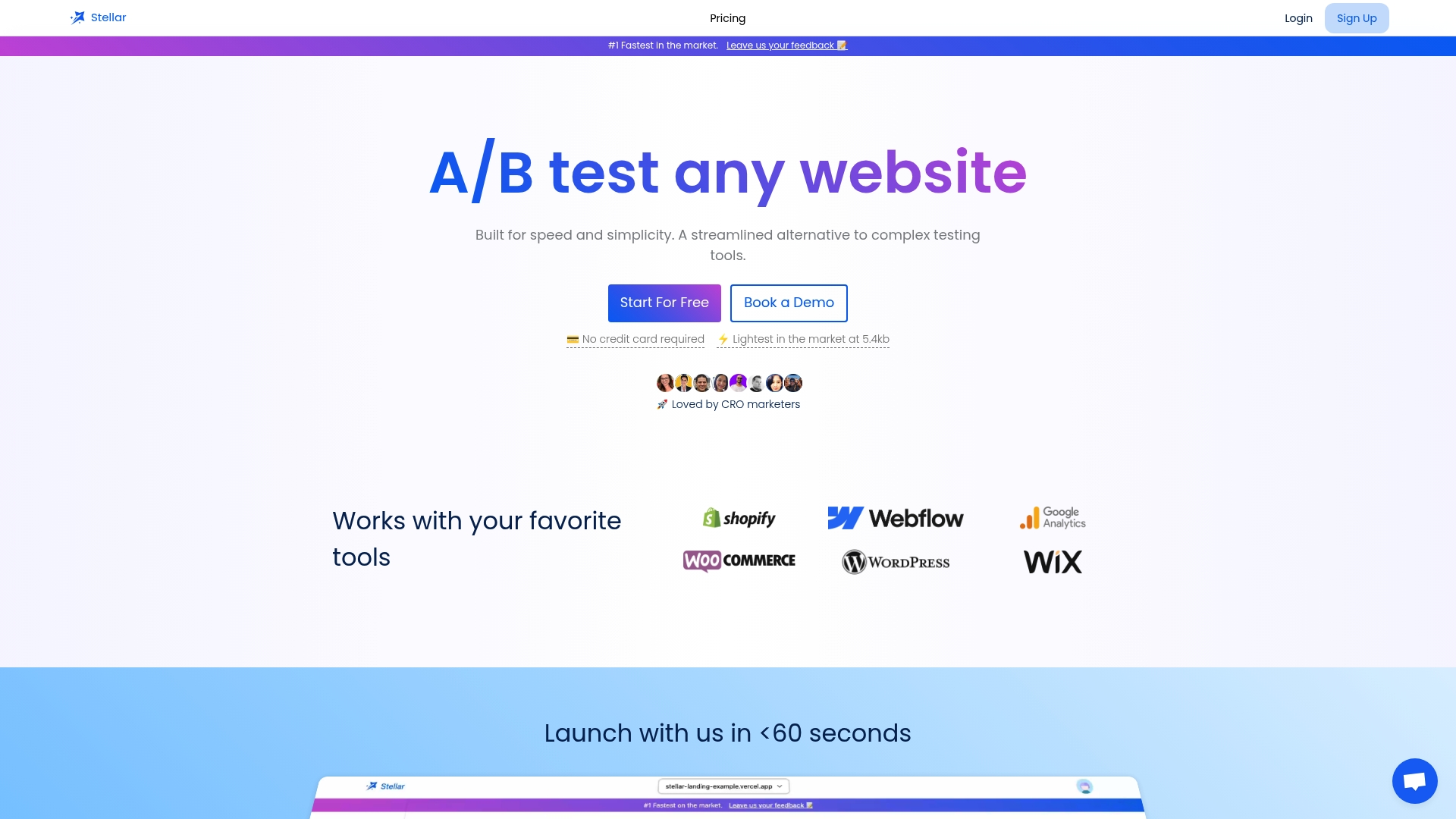
Pick a page that already gets steady traffic, set one goal, and run your first test this week.
Common mistakes to avoid
- Choosing by feature list alone. The best platform on paper fails if your editors cannot use it.
- Going headless too early. If you have no front-end developers and one website, you are paying for flexibility you cannot use.
- Skipping staging. Publishing straight to production is how broken templates reach customers.
- Ignoring accessibility. Headings, keyboard navigation and captions are cheaper to build in than to retrofit.
- Piling on plugins. Each one adds weight, maintenance and security surface.
- Changing without measuring. A CMS makes edits easy; only testing tells you whether they helped.
FAQ
What is CMS in web development?
It is software that lets people create, manage, store and publish website content without hand-coding every page. It typically has an editing interface and a delivery layer that serves content to visitors. Developers set up and extend it; editors use it every day.
Do web developers use a CMS?
Yes. Developers install, customize and integrate CMS platforms, build themes, plugins and modules, and connect third-party services such as CRM, analytics and payments. On headless projects they also build the front end that displays the content.
Is a CMS better than HTML?
It depends on the site. A CMS suits dynamic, content-rich sites with several editors, while static HTML can work well for small brochure sites that rarely change. If you will publish often, a CMS saves time and reduces errors.
Which type of CMS should a small business choose?
Most small teams do best with a traditional CMS or a no-code page builder, because they are quick to launch and easy for non-developers to run. Consider headless only if you need to deliver content to several channels and have developers to build the front end.
How do I know if a CMS change improved my site?
Test it. Run an A/B test with a clear goal, such as a signup or purchase, and compare versions on the same traffic. This turns a design opinion into a measured result.
Sources
- What is a content management system (CMS)? | TechTarget
- What is a Content Management System (CMS)? | IBM
- Developing or selecting a content management system for websites | GCIS South Africa
- CMS selection guide | Brightspot
- CMS Development: What It Is, Types, Tools | Hammani Tech
- CMS Development Services | Web Development Authority
- The Ultimate Guide to Choosing a CMS | Magnolia
- Which CMS to choose for your website | SEOHead
- Traditional CMS vs. headless CMS | TechTarget
- CMS types explained | Significa
- 8 Ways a Headless CMS Improves Website Speed and SEO | Strapi
- CMS vs HTML | Core dna