
User Testing: Run Rounds of Five or Get Paid to Take Part
User testing means watching real people attempt realistic tasks on a site, app or prototype so you can spot usability problems. If you run tests, work in small rounds of about five participants per user group, and bring in 20 or more only when you need numbers. If you want to earn money as a tester, learn how platforms pay before you sign up.
TL;DR:
- Use five participants per user group for qualitative rounds, but recruit 20 or more when measuring completion rates, task times, or differences between versions.
- Choose moderated sessions to investigate why people struggle; use unmoderated tests for known questions and larger samples, accepting that you cannot ask questions afterward.
- Write tasks around user goals rather than interface labels, then pilot the full session to catch confusing instructions, broken links, or recording failures before recruiting.
- Pair task success, time, and error measures with observations; a sample of five can reveal usability problems, but its percentages are only directional, not precise.
- One provider lists $4 for short tests and $10 for 15 to 20 minute sessions; payment often arrives through PayPal 14 days after approval.
Table of Contents
- What is user testing and when should you use it?
- Moderated or unmoderated: which format should you pick?
- How do you plan a test: goals, tasks, pilot and sample size?
- How do you recruit participants, and what should paid testers expect?
- How do you run a session: facilitation, think-aloud and recording?
- How do you analyze results and choose metrics?
- What does a ready-to-use test plan checklist look like?
- What ethical and privacy rules apply to usability testing?
- What other usability testing methods exist beyond moderated and unmoderated?
- Which tools help with usability testing, and what are their trade-offs?
- How do you combine qualitative and quantitative data from usability tests?
- What pitfalls and biases should you avoid in usability testing?
- Why many small tests beat one big study
- Validate usability fixes with a lightweight A/B testing tool
- FAQ
- Sources
What is user testing and when should you use it?
Usability testing is the practice of observing real users as they perform realistic tasks on a website, app or prototype, then using what you see to improve the design. The key word is observing. Asking people what they would do tells you far less than watching what they actually do when a button hides or a label confuses them.
Typical tasks fall into two groups:
- Goal-driven tasks: find a specific product, add an item to a cart, complete a purchase, or locate a return policy.
- Exploratory tasks: browse a site to understand what it offers, or explore a new feature without being told where to click.
- Think-aloud feedback: participants narrate what they expect and feel as they work, which exposes the reasoning behind a stumble.
The method splits into two modes. Formative testing is for discovery: small samples of 5–8 participants and quick iteration cycles to find and fix problems. Summative testing is for measurement: larger samples of 20–30 or more, used when you need completion rates and times with statistical power. Choose formative while a design is still changing, and summative when you want to benchmark a stable design or compare versions.
If you came here to earn money as a participant, this is the work you would be doing: following tasks, thinking out loud and giving honest reactions.
Moderated or unmoderated: which format should you pick?
Every usability test has a facilitator, tasks and participants, but the facilitator can be present or absent. In a moderated session, a person guides the participant live, in person or over video, and can ask follow-up questions. In an unmoderated session, participants complete tasks alone, following written instructions, while software records the screen. As Nielsen Norman Group explains, unmoderated tests scale more easily but yield less rich qualitative data.
The trade-offs are straightforward:
- Moderated: deeper insight, the chance to probe "why did you click there?", and control over pacing. It takes more time per participant and can limit how many sessions you run.
- Unmoderated: faster to run and good for collecting metrics across many people. You cannot ask follow-up questions, so unclear tasks produce unclear data.
- Remote versus in-person: remote sessions widen your recruiting pool and let people use their own devices. In-person sessions let you see body language and hardware problems more easily.
A practical rule: use moderated sessions when you are still asking "what is going wrong?" and unmoderated sessions when you already know the question and need volume.
For setup, moderated remote sessions need a video tool with screen sharing and recording. Unmoderated sessions need a testing platform that delivers tasks, captures the screen and audio, and handles participant payment.
Pro Tip: Try your first unmoderated test with a few friends before launch. If they misread a task, your real participants may too, and you cannot ask them what they meant.
How do you plan a test: goals, tasks, pilot and sample size?
Good tests are planned before anyone is recruited. Test planning starts with objectives, outcome measures and the factors that could affect results, and these choices shape who you recruit, what tasks you write and how you analyze the data. Here is a workable sequence:
- Define the goal. Write the questions the test must answer, such as "Can new visitors find pricing without help?" Vague goals produce vague findings.
- Choose your measures. Decide up front whether you care about task success, time, errors, satisfaction or all of them.
- Write realistic task scenarios. Ground each task in a user goal, such as finding a pair of shoes under $50, rather than step-by-step directions. Wording matters because small errors in a task can prime participants. If your interface has a button labeled "Pricing," do not write "click Pricing."
- Run a pilot. Try the whole test with a participant to catch broken links, confusing tasks and recording problems. Fixing these before real sessions saves participants.
- Set your sample size. Guidance from Nielsen Norman Group recommends about five participants per user group for qualitative studies and 20 or more for quantitative studies. When a project targets distinct groups, such as novices and experts, test three to four people from each.
- Plan the rounds. Jakob Nielsen's argument for the five-user heuristic is that many small iterative studies beat one large one: test, fix, then test again.
The five-user rule has exceptions, mostly when you need statistics or when your audience is very diverse. Scale up in those cases, and keep each round tied to a specific question. For a fuller planning reference, see the nine-step checklist from Nielsen Norman Group and our own practical guide to web usability tests.
How do you recruit participants, and what should paid testers expect?

For researchers, recruiting comes down to getting the right people, not just any people. Define who counts as a representative user, then screen for it with a short questionnaire about behavior ("Have you bought running shoes online in the past six months?") rather than demographics alone. Common channels include your own customer list, a testing platform's panel, social media and community groups. Our guide to website usability testers covers organizing a tester pool in more detail.
For paid testers, expect small, clearly disclosed payments. Platforms publish rates by test length, and examples from one provider show short unmoderated tests at $4, standard 15–20 minute tests at $10 and 30-minute sessions at $30, with longer sessions paying progressively more.
Payment mechanics worth knowing: payments are typically sent in USD via PayPal and often processed 14 days after a test is approved, so approval, not completion, starts the clock.
That answers the common question of whether testing platforms really pay: legitimate ones do, but it is supplemental income paid in small amounts after review, not a salary.
Watch for these red flags:
- No disclosed pay. Verified platforms state compensation per test before you start. The Consumer Financial Protection Bureau lists classic warning signs of fraud, including requests for upfront fees.
- Excessive unpaid work. Long "qualification" tasks with no pay are a bad sign.
- Vague payment terms. If you cannot find when and how you will be paid, do not sign up.
- Payment avoidance. Platforms that stall, redirect or ignore payment questions are not worth your time.
How do you run a session: facilitation, think-aloud and recording?
The facilitator's job is to stay neutral and keep the participant talking. Open with a short script: explain that you are testing the design, not the person, that there are no wrong answers, and that you want them to say aloud whatever they are thinking. Then give the first task.
Standard think-aloud instructions are simple: "Please tell me what you're looking at, what you're trying to do and what you expect to happen." When a participant goes quiet, neutral prompts keep them going without steering them:
- "What are you thinking right now?"
- "What did you expect to happen there?"
- "Tell me more about that."
Avoid leading questions such as "Was that confusing?" because they suggest an answer.
A recording checklist keeps data usable:
- Screen capture of every task, including cursor movement.
- Clear audio from the participant, tested before the session starts.
- Optional webcam video to catch facial reactions, with consent.
- Timestamped notes from observers, tagged by task so you can find moments later.
Observers should stay silent and out of sight during moderated sessions, using a separate channel to send questions to the facilitator. Their notes should record what happened ("clicked Support three times, then gave up") rather than interpretations ("the nav is bad").
When a participant gets stuck, give them time first. If they cannot continue, offer a small assist, note exactly where it was needed and count that task as failed or assisted in your metrics. If the technology breaks, apologize, restart the task and flag the data so it does not distort your results.
Pro Tip: Write down your intervention rule before the first session, for example, assist after a participant has made no progress for a while, and apply it consistently. Consistency keeps your task success numbers comparable.
How do you analyze results and choose metrics?
Combine what you saw with what you counted. Observations explain why a problem happens; metrics show how big it is. Formative testing finds problems and summative testing quantifies them, and the strongest studies use both.
The core metrics are:
- Task success rate: the share of participants who completed each task, with partial success and assisted completion recorded separately.
- Time on task: how long each task took, most useful when comparing versions or benchmarking over time.
- Error rate: wrong clicks, dead ends and backtracking per task.
- Satisfaction questionnaires: the System Usability Scale (SUS) gives a single score for overall usability, while the Single Ease Question (SEQ) rates an individual task right after it. Use SUS at the end of a session and SEQ after each task.
Treat benchmarks cautiously. A SUS score only means something compared to your previous version or similar products, and with five participants it is a rough signal, not a verdict.
To prioritize fixes, consider each issue's impact, frequency and effort. Fix high-impact, frequent issues that are relatively easy to address first. Our list of common website usability issues and fixes is a useful reference for the quick wins.
Then make small changes and retest. Where a fix is a matter of copy or layout rather than a clear bug, treat it as a candidate for an A/B test. For turning findings into landing-page experiments, this guide to website conversion optimization pairs well with the results of a test.
What does a ready-to-use test plan checklist look like?
Use this as your starting plan for a first formative round:
- Write research questions.
- Define participant criteria and a screener.
- Draft realistic tasks.
- Pilot the whole test and fix problems.
- Run sessions for each user group and record them.
- Log success, time, errors and observations per task.
- Rank issues by impact, frequency and effort.
- Fix the top items and retest.
| Item | Typical plan |
|---|---|
| Participants per round | 5 per user group |
| Staffing | One facilitator and one note-taker |
| Cycle | Plan, pilot, run, analyze, fix, retest |
If sessions go wrong, the usual culprits are unclear tasks, bad audio or a skipped pilot. Go back to step four and rerun the pilot before burning more participants.
What ethical and privacy rules apply to usability testing?
Testing involves real people's behavior, voices and sometimes faces, so treat their data carefully. Start with informed consent: tell participants what you will record, who will see it, how long you will keep it and that they can stop at any time without losing their incentive. Put this in writing before the session starts.
Collect only what you need. If your research question does not require names, ages or locations, do not ask for them. Where you must collect personal information for payment or screening, store it separately from session recordings so a leaked video does not identify anyone.
Protect participants from exposure. Ask them to use test accounts or dummy data rather than real banking, email or health details. If someone accidentally shows sensitive information on screen, pause, tell them, and blur or delete that segment of the recording.
Limit who sees the footage. Share clips with the team on a need-to-know basis, avoid posting recordings in open channels, and set a deletion date. When presenting findings, use participant numbers or pseudonyms rather than names.
Finally, be honest about compensation and time. Do not advertise a 15-minute test that takes an hour, and pay on the schedule you promised. Ethical testing is also better testing, because comfortable participants behave more naturally and speak more honestly.
What other usability testing methods exist beyond moderated and unmoderated?
Moderated and unmoderated describe how a session is run, but several other methods fit different budgets and questions.
Guerrilla testing means approaching people in public places such as cafés or co-working spaces and asking for a brief amount of their time, often in exchange for a coffee. It is fast and cheap and works well for early prototypes or simple flows, though you have less control over who participates and the environment is noisy.
Remote unmoderated testing platforms can automate recruiting, task delivery, recording and payment, so you can collect multiple sessions quickly. They suit specific, well-defined tasks. Their weakness is the lack of live probing, which makes clear task writing essential.
Hallway or colleague testing uses coworkers who are not on the project. It is a quick way to catch obvious problems, but colleagues know too much about your product to represent real users.
Remote moderated testing over video combines the depth of live sessions with the reach of remote recruiting, and it is often the best default for qualitative work.
First-click and tree testing isolate narrow questions, such as where people click first on a page or whether your navigation labels make sense, and are quick to run on a larger sample.
Pick the method by asking what you need to learn, how many people you can reach and how much time you have. Many teams combine two: a small moderated round to find problems, followed by an unmoderated round to confirm fixes.
Which tools help with usability testing, and what are their trade-offs?
Tools fall into a few categories, and each has strengths and limits.
Testing platforms deliver tasks, recruit from a panel, record sessions and pay participants. Pros: speed and built-in recruiting. Cons: panel participants can be experienced testers who behave differently from your real customers, and costs add up with volume. For a view into how one such service works from the participant side, see our explainer on what UserTesting is.
Video conferencing tools with screen sharing and recording are the cheapest way to run moderated remote sessions. Pros: familiar, free or low cost. Cons: no built-in recruiting, task management or analysis, so you handle those yourself.
Survey tools deliver SUS, SEQ and screeners. Pros: easy and flexible. Cons: self-reported answers do not replace observing behavior.
Note-taking and analysis tools such as spreadsheets, shared documents or whiteboards organize observations and tag issues. Pros: cheap and collaborative. Cons: manual effort grows quickly with sample size.
A/B testing tools are not usability tests, but they validate whether a fix improves real behavior at scale. If you are weighing tools by role, our UI UX tester guide for marketers maps workflows to responsibilities.
Choose the lightest tool that answers your question. A video call and a spreadsheet may be enough for an initial round.
How do you combine qualitative and quantitative data from usability tests?
Each type of data answers a different question. Numbers tell you what happened and how often. Observations and quotes tell you why. Synthesis means making them point at the same issue so stakeholders trust the conclusion.
Start with a single table or board organized by task. For each task, list the metric results (success rate, time, errors) next to the key observations and short participant quotes. When a task shows a low success rate, the observations beside it should help explain what happened, such as participants missing the filter button because it looked like a label.
Next, cluster observations into themes. Group similar notes, such as navigation confusion, unclear labels or slow feedback, and count how many participants hit each theme. This turns scattered comments into patterns you can rank.
Then check for agreement and conflict. If participants rate a task easy on a questionnaire but many failed it, investigate: people often overestimate their success. Trust behavior over opinion when they disagree.
Finally, write findings as short statements with evidence: the problem, how many people it affected, a supporting quote or clip and a recommended fix. A short video clip of someone struggling may persuade a team faster than a table of numbers, while the numbers can help show whether the clip reflects a broader pattern.
Keep sample size in mind. With a small group of participants, percentages are directional only, so describe what you observed rather than claiming precise rates.

What pitfalls and biases should you avoid in usability testing?
Most bad usability data comes from a few predictable mistakes.
Leading tasks and questions. Telling participants where to click, or asking "Don't you think this is easy?", primes behavior. Write tasks around goals, not interface labels.
Confirmation bias. Teams notice evidence that supports their favored design and dismiss the rest. Record observations before discussing solutions, and let more than one person review the footage.
Unrepresentative participants. Testing with colleagues, friends or professional testers can hide real problems. Screen for behavior that matches your actual users.
Skipping the pilot. A broken task wastes a whole session. Always pilot first.
Over-helping. Facilitators who rescue participants too quickly erase the very problems the test exists to find. Follow your intervention rule.
The observer effect. People behave differently when watched, often trying harder or blaming themselves. Reassure them that you are testing the design, and keep observers out of view.
Reading too much into small samples. A small qualitative group can reveal major problems, but it does not give precise percentages. For quantitative studies, Nielsen Norman Group recommends at least 20 users.
Testing once and stopping. A single big study is less effective than several small rounds with fixes in between.
Naming these risks in your test plan makes them easier to avoid and helps stakeholders trust the results.
Why many small tests beat one big study
I prefer many small tests to one large one, and the reason is momentum. A small round can be planned, run and followed by fixes quickly, so the team sees real changes and keeps asking for more testing. To win stakeholder buy-in, invite them to watch a session live, or send a short highlight clip of a participant struggling. Seeing a real person fail at something the team thought was obvious does more than any slide deck.
— Juan
Validate usability fixes with a lightweight A/B testing tool
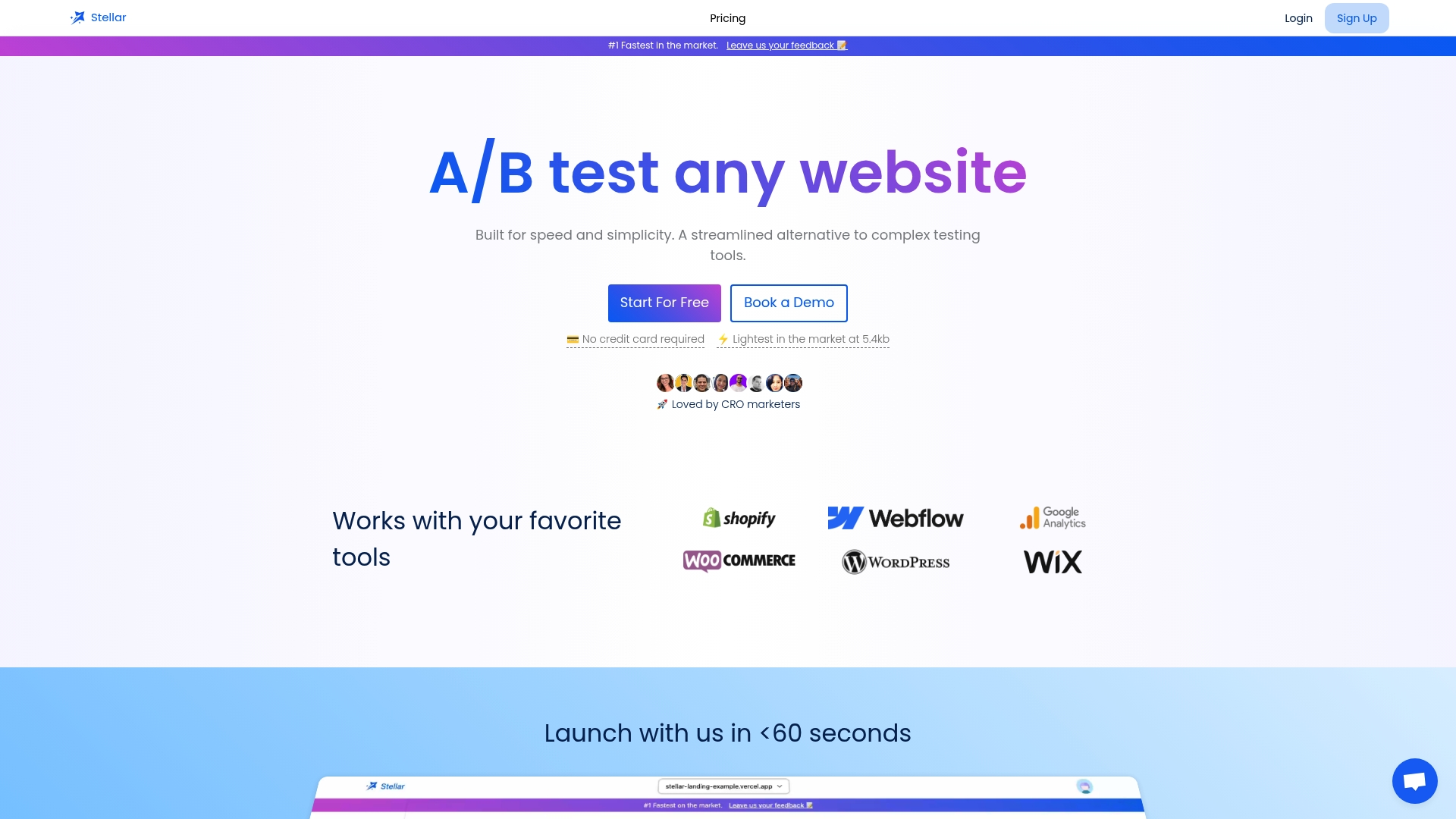
Once your tests reveal what to fix, an A/B testing tool can help assess whether the fix works for a wider audience. We built Stellar for that step: a lightweight script, a no-code visual editor and real-time analytics, so you can launch an experiment without waiting on developers. Our Sandbox plan is free, which suits sites with lower traffic, and the Plus plan costs $29 per month. See the plans and try the free tier at Gostellar.
FAQ
Do you actually make money as a paid website tester?
Yes, but in small amounts. Platforms publish rates by test length, with examples of $4 for short tests and $10 for standard ones. Treat it as side income, not a replacement for a job.
What is the meaning of a usability test?
A usability test is a session where real people try to complete realistic tasks on a website, app or prototype while you watch. The goal is to find where the design confuses or blocks them, so you can fix it.
Do testing platforms really pay, and how fast?
Legitimate platforms do. Many pay in USD through PayPal, often about 14 days after a test is approved. Avoid any platform that hides pay rates or asks you to pay a fee first.
How many participants do you need for a usability test?
Plan on about five per user group for qualitative rounds and 20 or more when you need statistical confidence, as Nielsen Norman Group recommends. Run several small rounds rather than one large one.
Sources
- Coursera
- How Many Test Users in a Usability Study? - NN/G
- Usability (User) Testing 101 - NN/G
- Usability Testing | Textbook of Usability